A focused dashboard that surfaces exactly the numbers that matter — session gauge, history, alerts, costs, and more — nothing you don't need.
📊
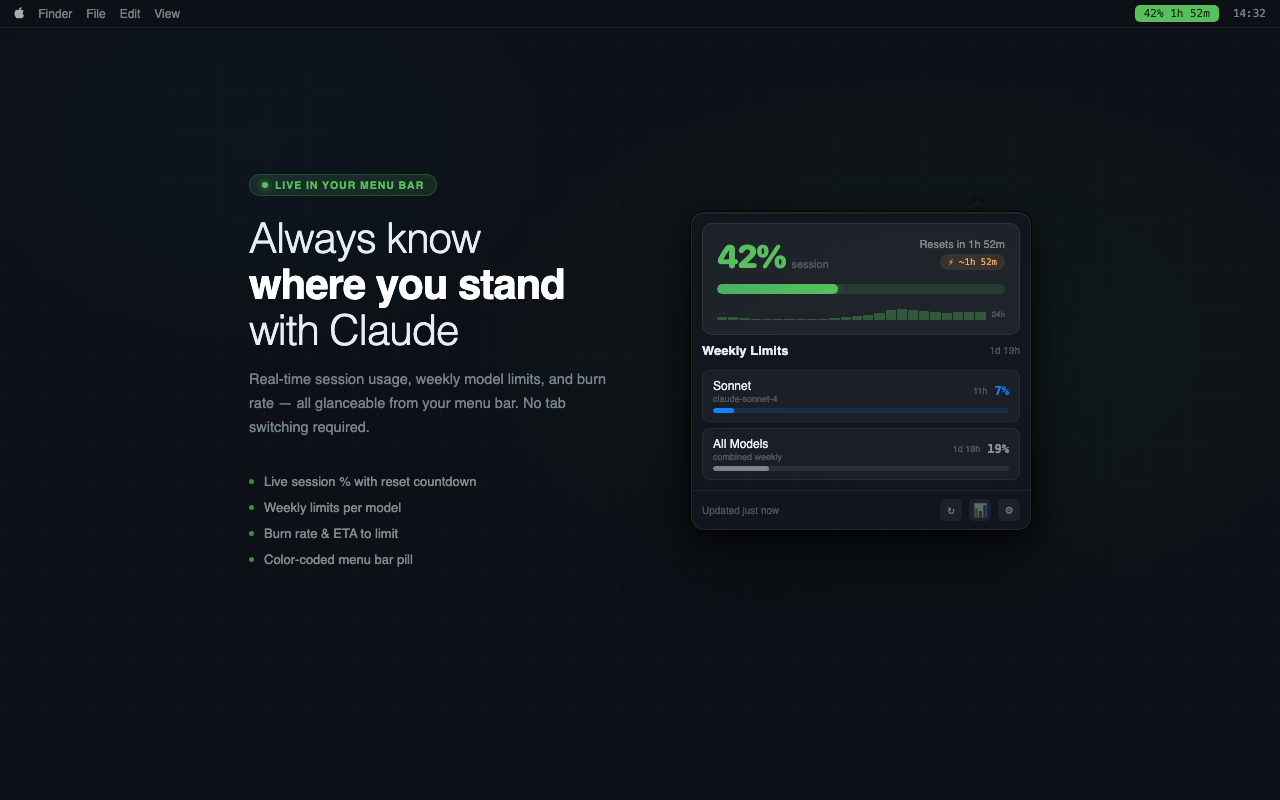
Session Gauge
A live percentage gauge that shifts from green to orange to red as you approach your limit. A burn rate pill shows exactly how long until you hit the cap — "At this rate: ~1h 47m to limit".
Burn rate ETA shown below the progress bar
Color-coded: green / orange / red states
Precise reset countdown timer
⚖️
Weekly Model Limits
Track your weekly message allowance separately for each model. Know when you're running low on Opus before you're forced to switch.
Opus, Sonnet, Haiku — all tracked
Color-coded bars per model
Per-model reset countdown
💰
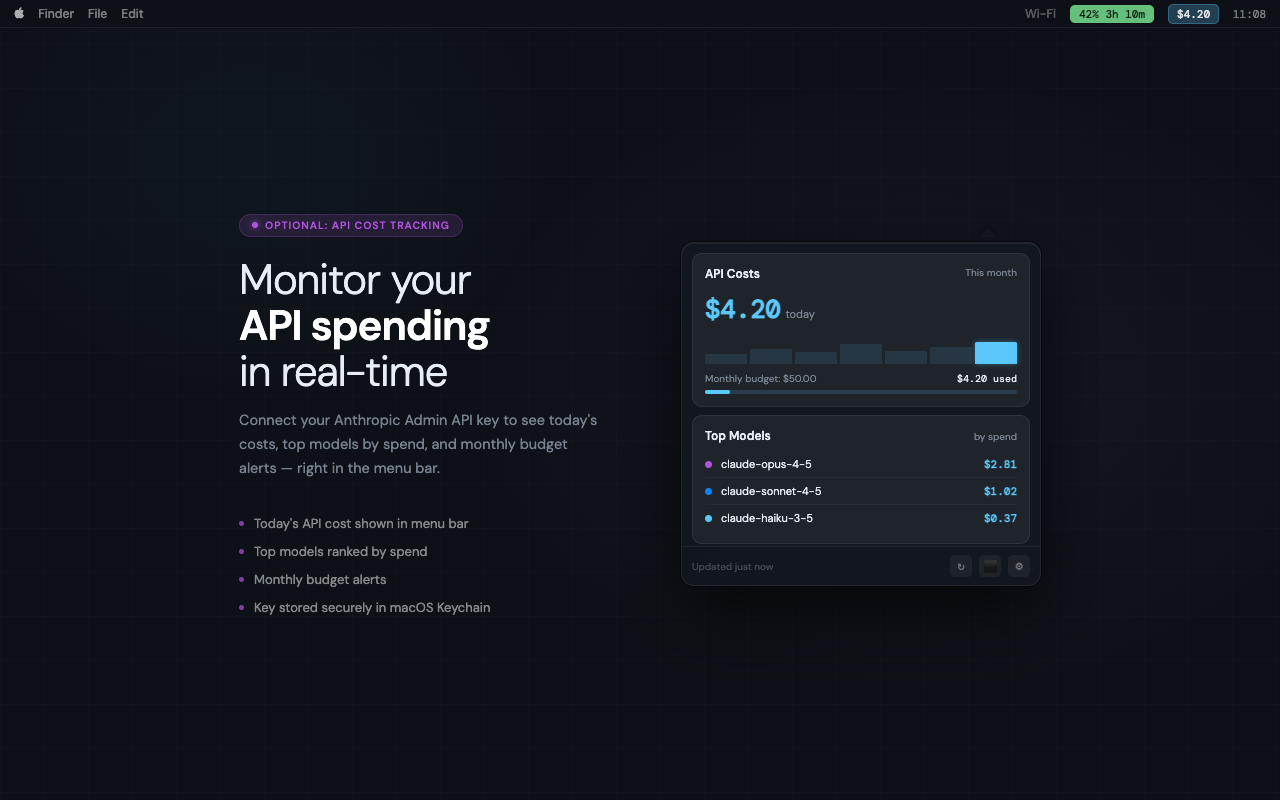
Cost Tracking
Add your Anthropic Admin API key to see real dollar spend. Today's cost, the monthly total, a 7-day trend chart, and top models by spend — all in the same popover.
Today's API cost and monthly total
Monthly budget alert + CSV export
Top models by spend, daily budget threshold
🔔
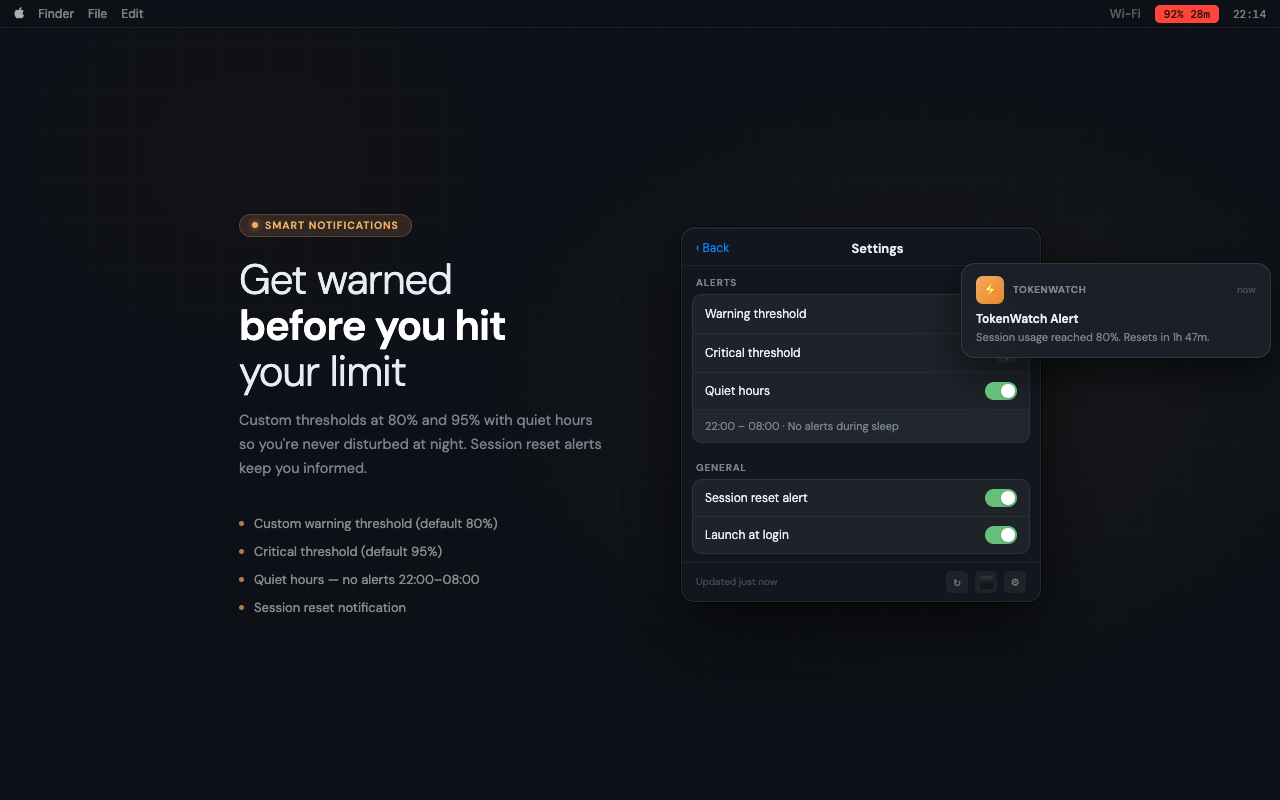
Smart Alerts
Get notified before your session runs out — not after. Set your own thresholds, silence alerts during quiet hours, and get pinged the moment your 5-hour limit refreshes.
Customizable thresholds (default 80% / 95%)
Quiet hours — silence alerts on your schedule
Session reset notification when limit refreshes
📈
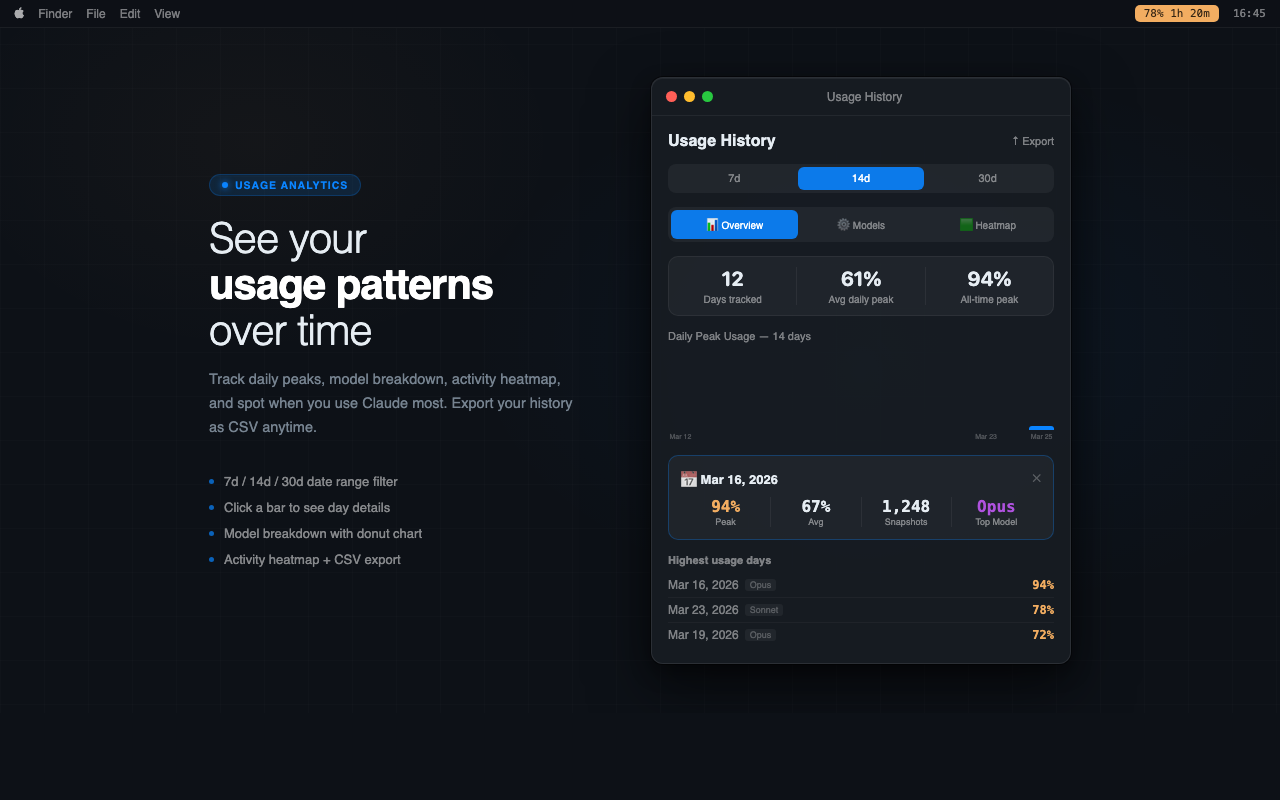
Usage History & Analytics
A dedicated analysis window with daily bar charts, an hourly activity heatmap, model breakdown donut chart, and day-detail cards. Filter by 7, 14, or 30 days.
7d / 14d / 30d date range filter
Hourly activity heatmap & day detail cards
Model breakdown with version-based colors
CSV export for offline analysis
🖥️
Desktop Widgets
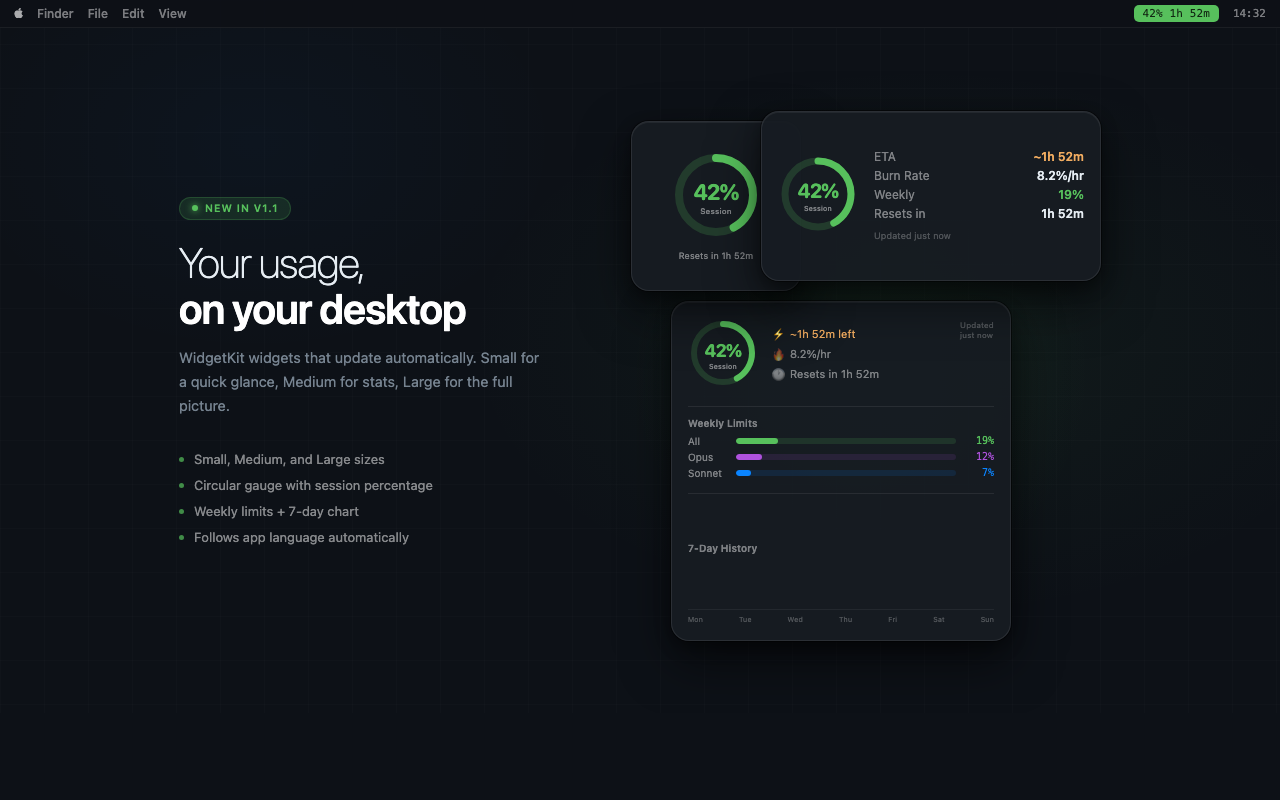
Glance at your Claude usage without opening anything. Small, Medium, and Large WidgetKit widgets sit on your desktop and update automatically. Fully localized.
Small, Medium, and Large sizes
Session gauge + weekly limits at a glance
Follows app language (EN / TR)
⌨️
Claude Code Analytics
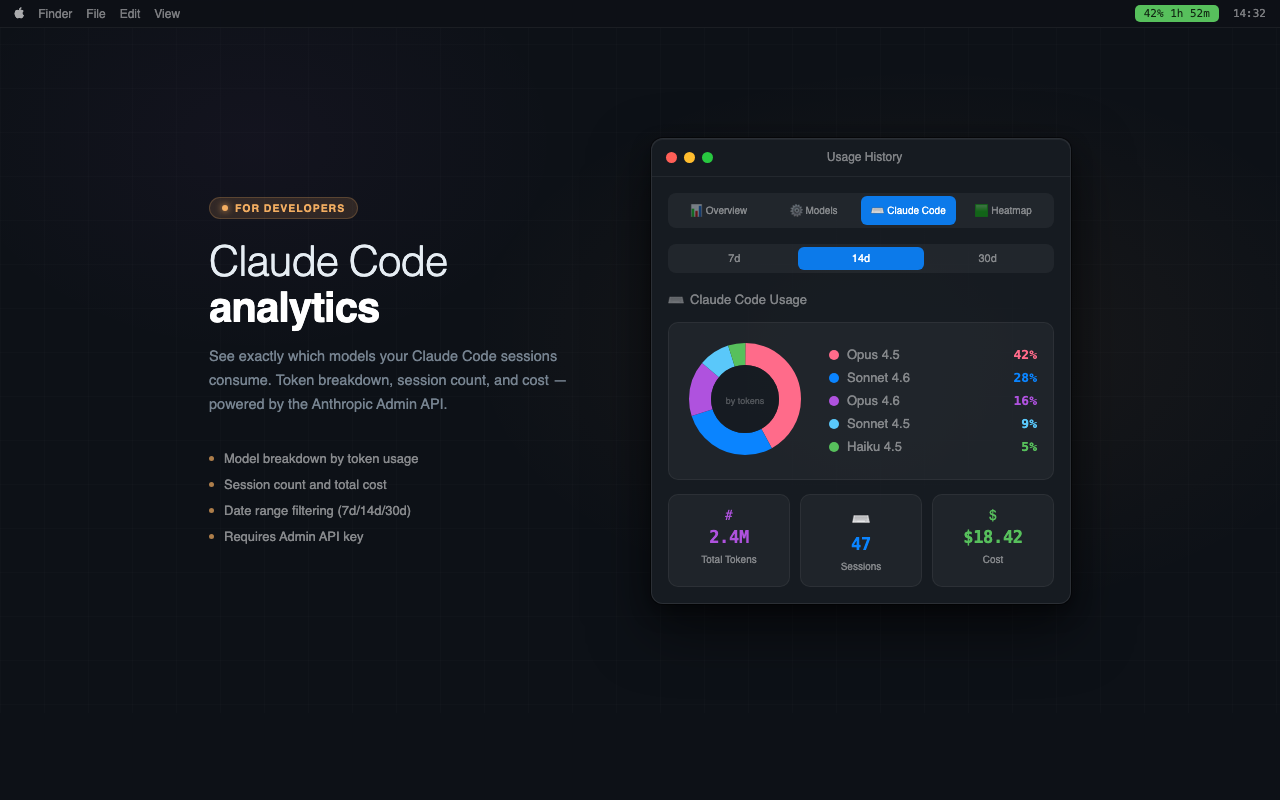
If you use Claude Code, connect your Anthropic Admin API key to see token usage, cost, and session counts broken down by model — all inside the history window.
Token usage per model (Opus, Sonnet, Haiku)
Session count & dollar cost summary
Date-range aware — filters by selected period
🌐
macOS Integrations
Works the way Mac apps should. Ask Siri or Spotlight for your current usage, launch from Shortcuts automations, and switch the interface to Turkish with a single tap in Settings.
"Hey Siri, check my Claude usage"
Spotlight & Shortcuts app integration
Turkish language support (in-app switcher)